In this task your buyers will augment MRP-generated POs, review your PO form layout, and test PO Email process.
Education:
 Purchasing Guide - PO Generation

 Video - MRP Guideline PO Price Verification
Video - MRP Guideline Late PO Expediting

Training Tasks:
•Add line items to one or more of the MRP-generated POs to see how POs can be manually augmented.
•Review PO Schedule and learn how to update the intended supply date using the Expected Date field.
•Print POs and review your PO form layout.
Golden Rule - Always verify PO prices prior to sending to Supplier
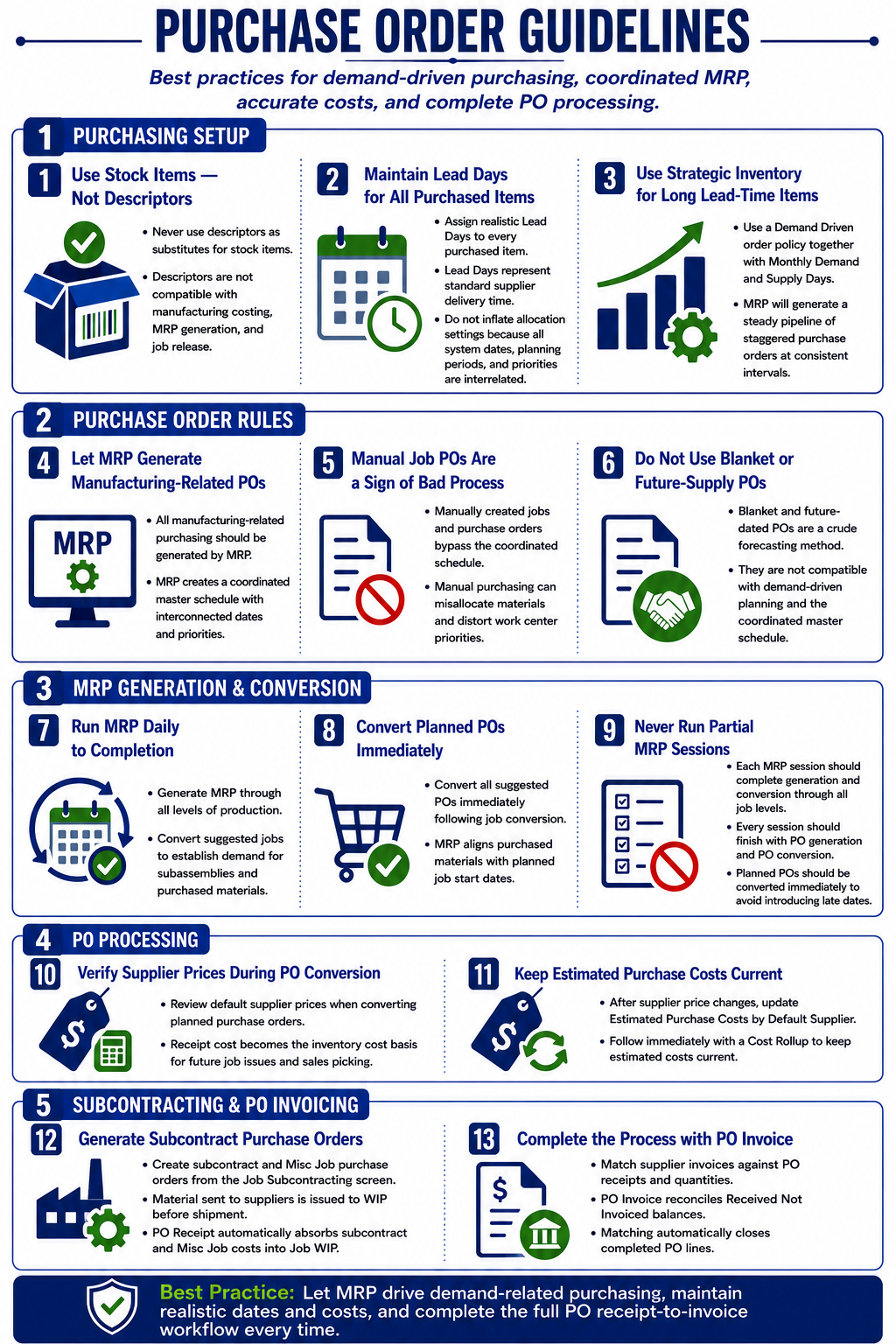
Most costs in DBA are recognized at time of PO Receipt. It is therefore essential that you always verify your prices in your POs before you send them to your Suppliers. This will dramatically improve your product Costing.
PO Line Ref Type
Item
PO Receipt cost is the basis for the inventory value. PO Receipt costs are averaged with existing on hand values
Verify and update supplier prices before PO conversion in MRP
To ensure the integrity of the costing system, always verify and update supplier prices before converting planned POs. The planned POs screen within MRP is optimized for pricing maintenance with the ability to create and update supplier price records and present review notes for special pricing instructions. The costing system depends on realistic PO prices because when a purchased item is received, its inventory cost is updated by the PO cost and is the cost basis for subsequent job issue transactions. The PO invoicing process often occurs well after actual receipt and has no retroactive effect on receipt costs or inventory costs.
You must actively update your estimated costs for Purchased items
•Verify pricing for your default supplier sources when you send out purchase orders from the MRP screen
•If any default purchase prices change during MRP, go to the BOM > Estimated Purchase Cost screen and Mass Replace the Est Cost based on Default Supplier Price.
•Run BOM > Cost Rollup Batch to reflect updated estimated material costs across all BOMs. Make sure to apply the Batch Cost Rollup changes to your un-released Jobs to ensure your MRP Jobs estimated costs are aligned with your recently updated MRP PO prices.
Misc PO
This is for non-Ship descriptors manually added to a PO. These Misc Purchase Costs are recognized at PO Receipt. You can define a Misc Purchase GL exception against the Descriptor in GL > General Ledger Setup > Account Assignments > Purchasing > Misc PO Exceptions.
Subcon
This is for subcontract lines generated from the Jobs > Job Subcontracting PO conversion process for your Job Subcontract routings. When you perform a PO Receipt of this Subcon line, there will be an automatic Job issue of Absorbed Subcontract Costs to work in process for the linked Job. Verify your prices in the Job Subcontracting screen prior to converting POs.
Misc Job
This is for descriptor PO lines generated from the Jobs > Job Subcontracting PO conversion process for your Job Descriptors lines (TYPE = MISC) that have a Supplier designated. When you perform a PO Receipt of this Misc Job line, there will be an automatic Job issue of Absorbed Misc Job Costs to work in process for the linked Job. Verify your prices in the Job Subcontracting screen prior to converting POs.
Ship (costs recognized at PO Invoice)
This is for descriptors of TYPE = SHIP manually added to a PO or SHIP lines created during the PO Invoice matching process. These PO Shipping Costs are recognized at PO Invoice. You can define a PO Shipping Cost GL exception against the Descriptor (the PO Invoice SHIP line is not eligible for an exception) in GL > General Ledger Setup > Account Assignments > Purchasing > Ship Exceptions.